Projects on Purna AI: a cleaner way to organize research work

Projects are now live on Purna AI’s Molecular Intelligence Platform, and they solve a very practical problem: research work gets messy fast.
One chat starts as a quick literature question. Then you upload a FASTA file. Then MIP generates a structure prediction, a few plots, a CSV, and a follow-up analysis. A week later, you remember the result but not the exact chat where it happened.
Projects give all of that work a home.
Each project can hold chats, uploaded files, generated outputs, jobs, and debates. You can use one project for a protein design campaign, another for a variant review, another for a case discussion, and another for quick one-off questions. The goal is simple: fewer mystery files, less scrolling, and a workspace that still makes sense after the tenth analysis.
Purna AI Projects keep related work together
Every account now starts with a default project called Quick Research. If you do nothing, your new chats and files go there automatically. It is meant for quick questions, early exploration, and anything that does not yet deserve its own named workspace.
When a topic becomes bigger, create a project for it.
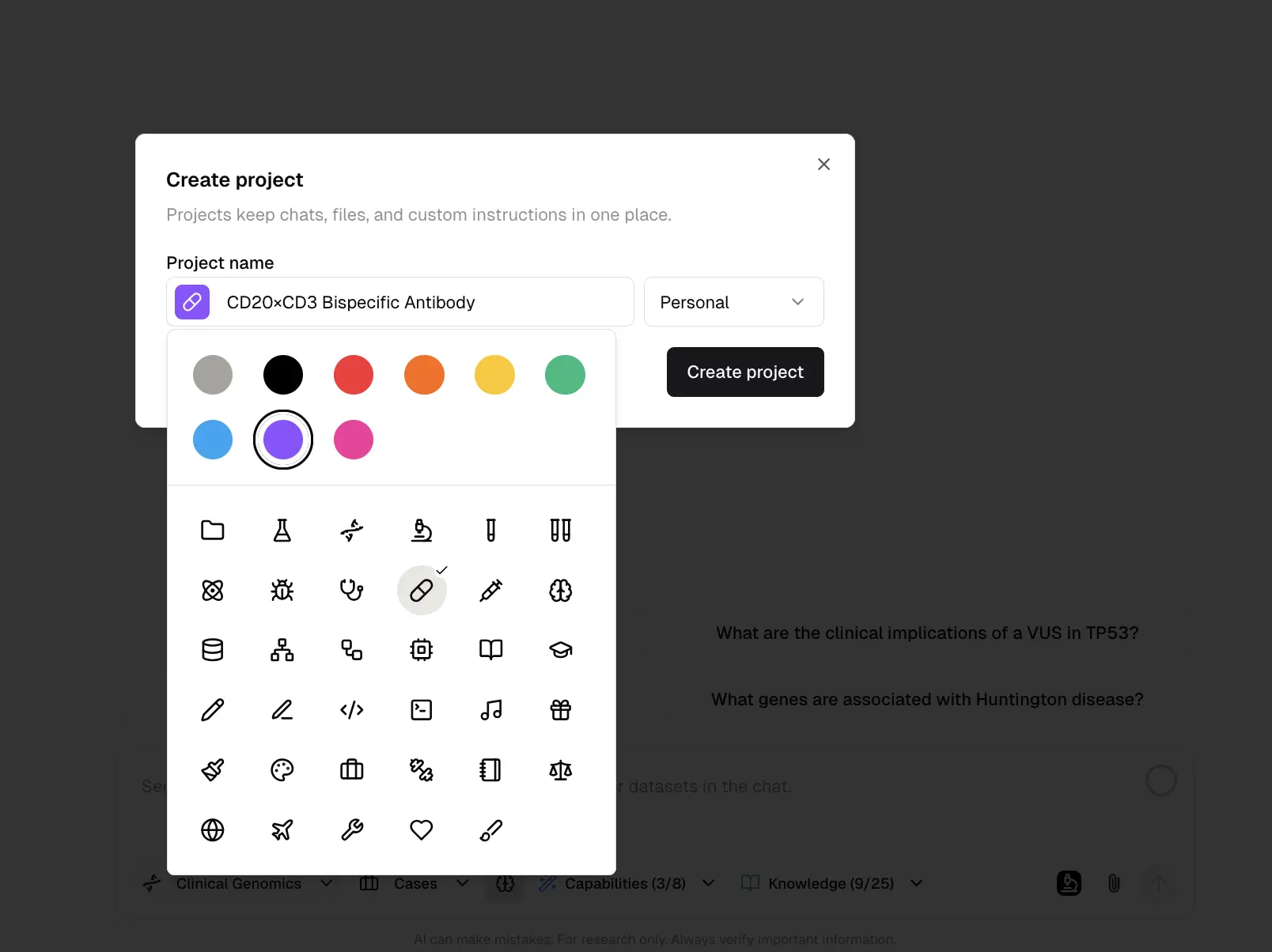
You can name the project, choose an icon, choose a color, and set visibility. Personal projects stay private to you. Team projects can be shared with your team, while chat-level privacy still stays in force.
That last part matters. A team project does not automatically expose every private chat inside it. If a chat is private, it remains owner-only. If you want a chat to be visible to the team, share the chat intentionally.
Choose the right project before you start a chat
The project selector now sits directly in the chat input, next to attachments. Before you send the first message, choose where the chat should live.
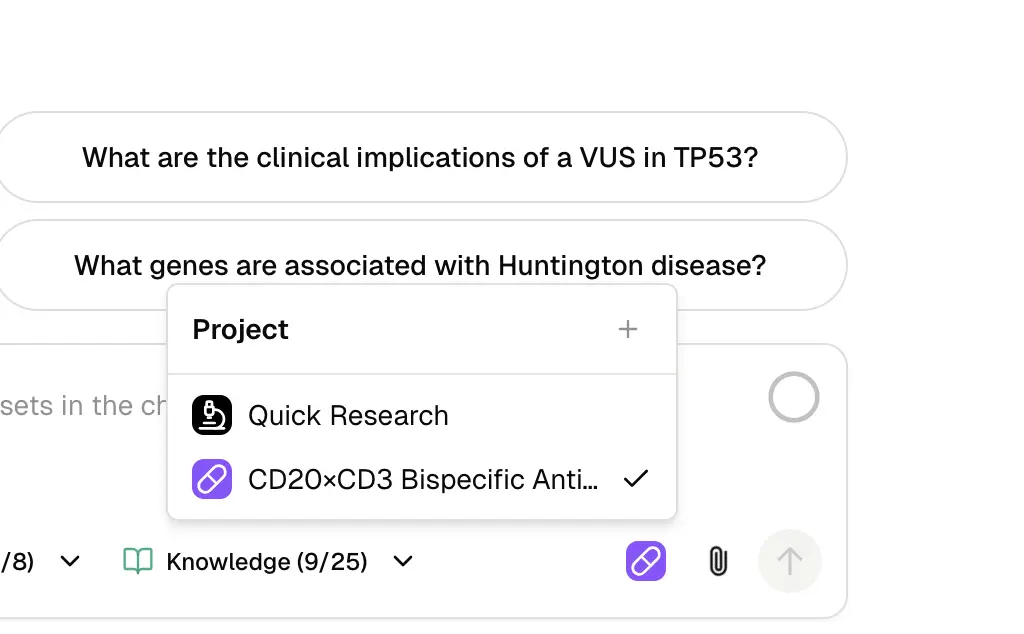
That choice carries through the workflow. Uploads, generated images, predictions, pipeline outputs, and job artifacts are saved under the same project context. This is especially useful for longer workflows where the answer is not just text, but a set of files you will want later.
For example:
- Create a project called “EGFR resistance review”.
- Start a chat inside that project.
- Ask MIP to search papers and databases for resistance mechanisms.
- Upload supporting files or sequences.
- Generate plots, summaries, or model outputs.
- Come back later and find the whole trail in one place.
This fits the broader idea behind molecular intelligence: the analysis should not live in disconnected tabs, notebooks, and downloads. The workspace should preserve the context around the question, the tools used, and the files generated along the way.
Project pages make old work easier to find
Click a project in the sidebar and you get a focused view of the chats inside it.
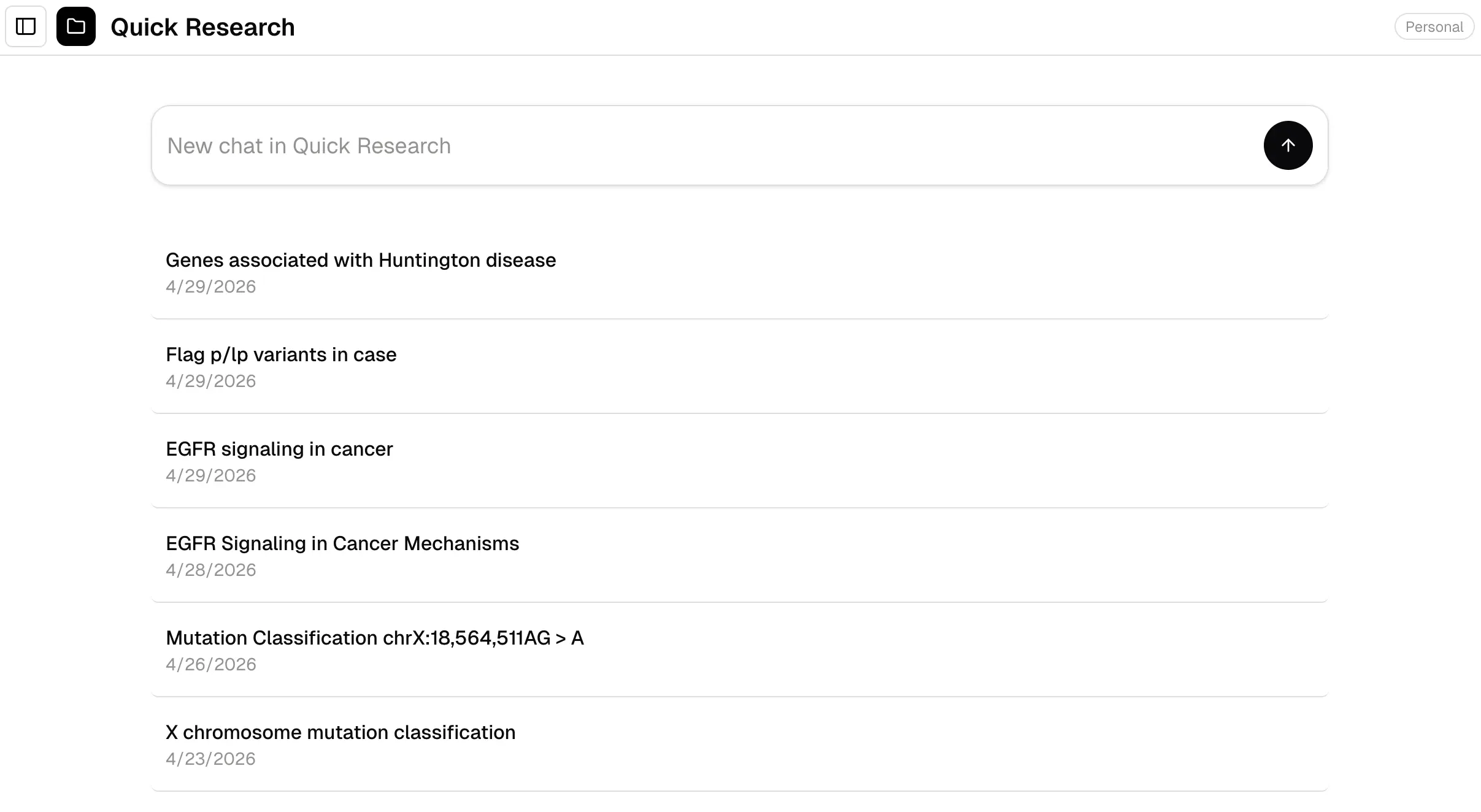
This is intentionally simple for now. The project page shows the chats that belong to the project. You can open a chat directly, rename it, share it, or delete it from the row menu.
It is a small change, but it changes the feel of the product. Instead of searching through one long global history, you can enter the workspace for a specific research direction and pick up from there.
Files are no longer just a flat pile
The Files view is also becoming more project-aware. Files can now belong to the project that created them, which means uploads and generated outputs can be browsed in context.
This matters most for heavier workflows:
- A code execution run that produces multiple CSVs and figures
- A structure prediction workflow with input sequences, validation outputs, and result files
- A multi-omics analysis with source data, intermediate outputs, and final plots
- A debate or review thread that produces summaries and evidence tables
Instead of treating every output as one more item in a flat library, projects give MIP a natural place to group them. Over time, this also gives us a cleaner export path for cloud storage, GitHub integrations, and reproducible research handoff.
A better base for team research
Projects also give teams a better collaboration model.
A team can create a project for a shared initiative, such as:
- “Q2 antibody engineering”
- “Rare disease case board”
- “PCSK9 mechanism review”
- “Single-cell analysis pipeline”
Team members can work in the same project without mixing the work into every other chat and file. At the same time, sensitive chats can stay private until someone explicitly shares them.
This is the balance we want in MIP: collaboration where it helps, privacy where it matters. Biology teams often handle unpublished research, clinical context, or commercially sensitive targets. Project visibility should never override the user’s privacy setting for a chat.
Where Projects fit in the bigger MIP workflow
Projects are not a flashy model launch. They are infrastructure for doing serious work in one place.
They make features like natural-language database search, protein structure workflows, code execution, and generated scientific figures easier to reuse because the surrounding context is preserved. A result is more useful when you can also find the prompt, the files, the job, and the follow-up analysis that produced it.
This is also why Projects are a foundation for what comes next. As MIP grows into a more complete IDE for biology, users will need clean ways to organize experiments, export work, share selected context with teams, and connect project artifacts to external systems.
Projects are the first step in that direction.
How to try it
Open MIP, look for Projects in the sidebar, and start with Quick Research. Create a new project when a conversation becomes part of a real workflow.
Full documentation is available here: Projects guide.
If you are new to MIP, you can also learn about our research credits program, which offers up to ten thousand dollars in credits for eligible researchers.
Purna AI’s Molecular Intelligence Platform (MIP) is an AI-powered workspace for biology teams. It brings together molecular analysis, variant interpretation, protein structure prediction, de novo enzyme design, code execution, and clinical database integrations into one environment. Built for teams who work with biological data and need consistent, reproducible answers without juggling disconnected tools. Learn more at purna.ai.
Explore Purna's Molecular Intelligence Platform
AI-powered workspace for biology teams to accelerate drug discovery from target identification to lead optimization.
Try Purna AI →