Image Generation on Purna AI
Image Generation on Purna AI
Scientific figures are unforgiving. A reversed arrow, a mislabeled pathway step, or a missing component can undermine an otherwise solid piece of work, and most AI image tools leave you re-prompting until something looks close enough. Purna’s image generation takes a different approach: before anything is rendered, you get an editable plan for your figure. Once you approve it, a team of specialized agents handles composition, checks the result against your brief, and refines it, with the same rigor now extending to plots and charts. Here’s how it works.
The Plan Comes First
When you submit an image request, the first thing you get back is not an image. It is a plan.
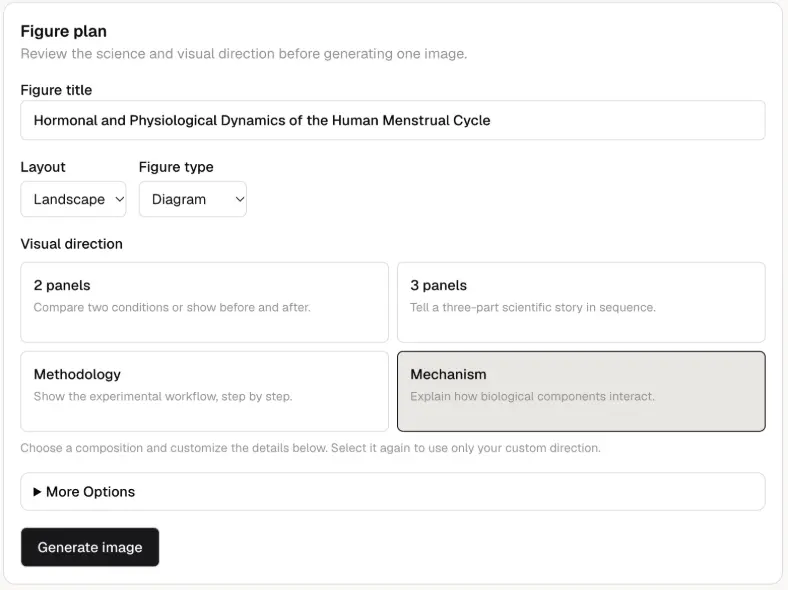
The plan covers figure title, figure type and layout, scientific description, and visual direction. You review and edit everything here, before generation starts. Fixing a wrong layout or a missing pathway step at this stage takes seconds. Fixing it after generation does not.
Edit What You Need
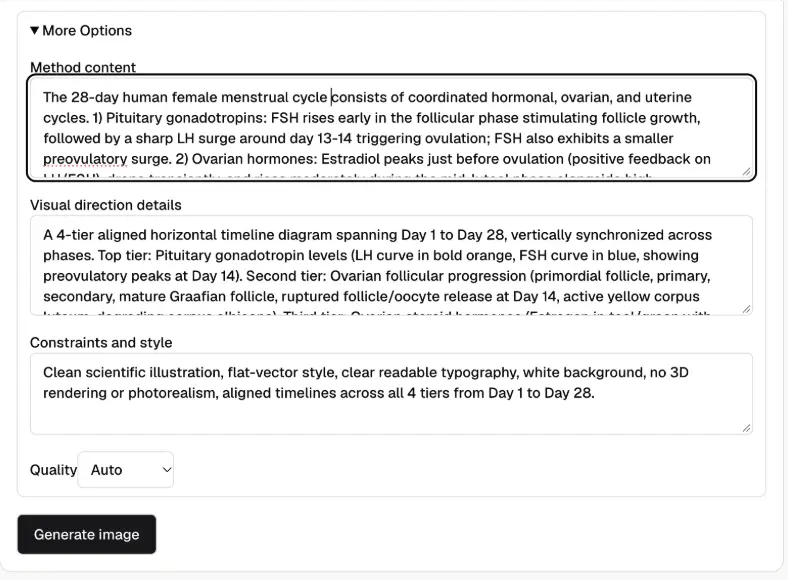
Every field is editable. Adjust the figure type, rewrite the visual direction, correct the scientific description. Once the plan reflects what you need, you approve it.
How the workflow runs
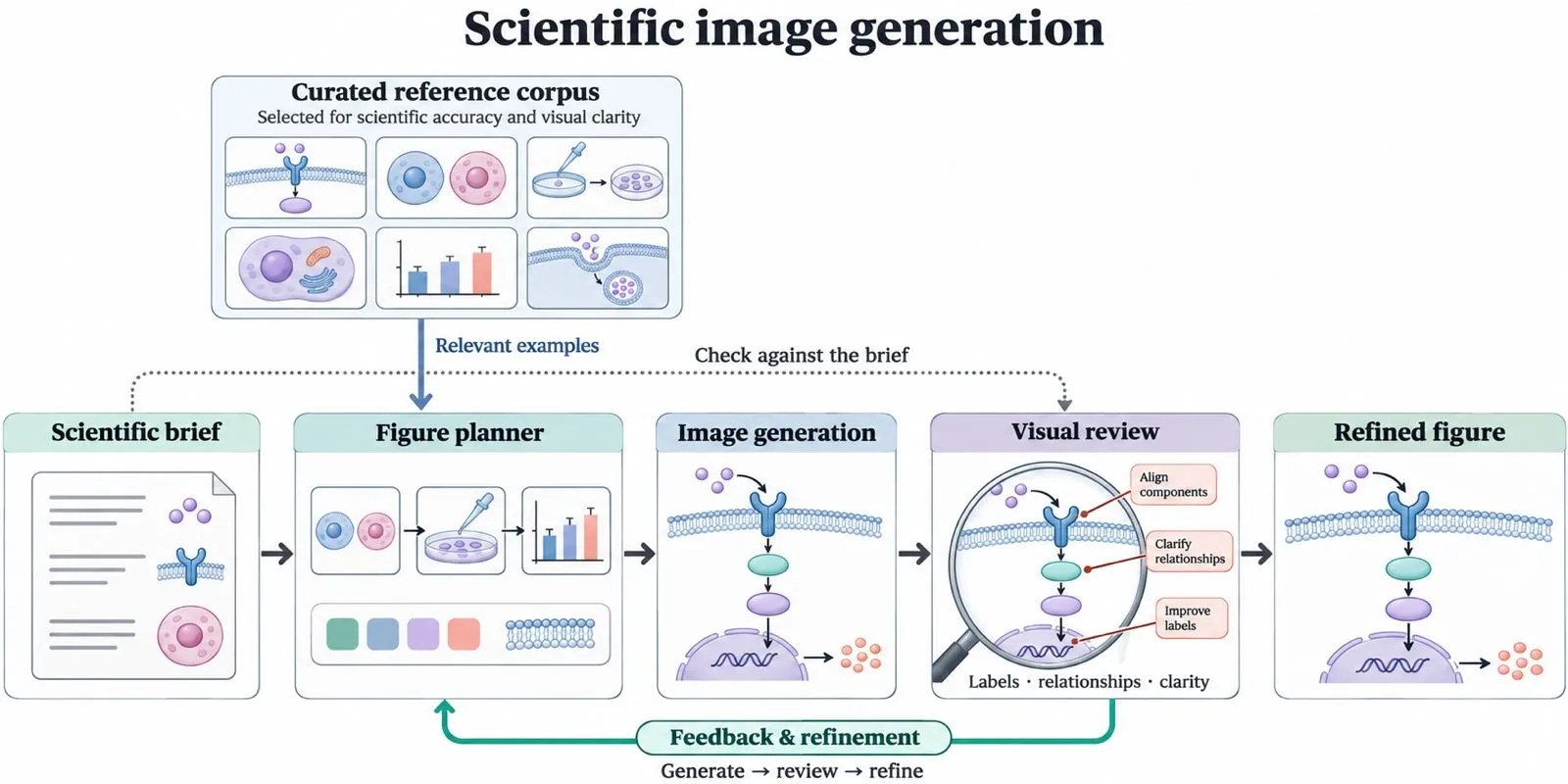
Approval hands the plan to a multi-agent pipeline. A retrieval agent selects relevant examples from a curated corpus of scientific images chosen for accuracy and visual clarity. The planning agent examines those images alongside their descriptions, using them to guide composition, visual hierarchy, and illustration conventions, then produces detailed instructions for the image model with the user’s scientific brief as the source of truth.
After generation, a critic agent examines the actual image against the brief and identifies specific problems: missing components, reversed arrows, incorrect labels, unclear relationships. Its feedback informs revised instructions and another rendering pass, creating a bounded generate → review → refine loop. One agent handles aesthetic direction, one handles scientific accuracy, and one handles refinement. Separating these produces better results than asking a single model to optimize for everything at once.
Refinement Gives You Options
The first generation is not the final output. Refinement agents produce multiple versions within the approved plan’s parameters. Not random variants; structured refinements you can choose between or combine.
Every Output Includes a Title and Description
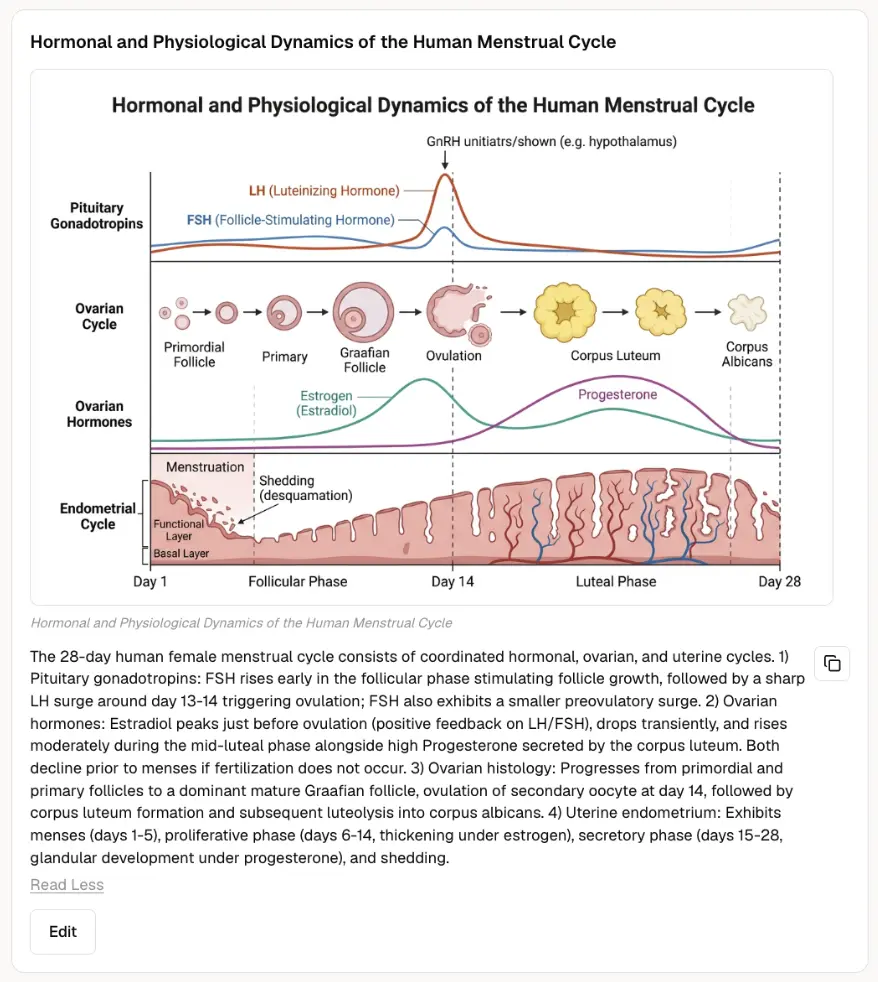
The figure ships with a generated title and description. A figure without a legend is not usable in a paper or a report. The metadata is part of the deliverable, not an afterthought.
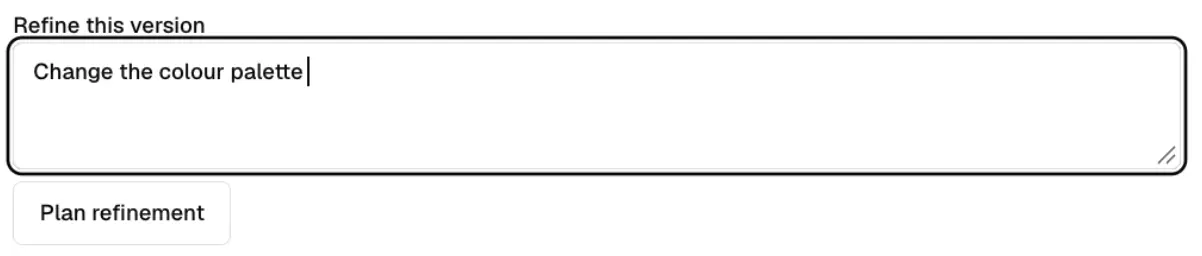
There’s also a refinement box that allows you to make required edits to the final version.
The planning layer is what makes this work. Scientific figures require a level of precision that general-purpose image tools are not built for. Making content and structure decisions before generation, not after, is what keeps errors out of the final output.
Image generation is live on Purna
Explore Purna's Molecular Intelligence Platform
AI-powered workspace for biology teams to accelerate drug discovery from target identification to lead optimization.
Try Purna AI →