
See the Science: Introducing Purna's Scientific Viewer Components

See the Science: Introducing Purna’s Scientific Viewer Components
One of the more frustrating parts of research workflows is how much time gets spent moving between tools. You’re working through a question in one place, your data is somewhere else, and switching between them breaks whatever thread of thinking you had going.
We’ve been building toward fixing that. Today we’re launching four scientific component viewers built directly into the Purna workspace: a Structure Viewer, Spatial Omics Viewer, Slides Viewer, and Sequence Alignment Component.
Each viewer opens inside your workspace tab, next to your conversation, files, and compute panels. Your original data is never modified by opening a viewer. Preparation for viewing is handled separately and doesn’t perform any biological analysis.
The consistent principle is that inspecting data and analyzing it are different steps. The viewers handle the first. Purna and its agents handle the second. Having both in the same place is the point.
Structure Viewer
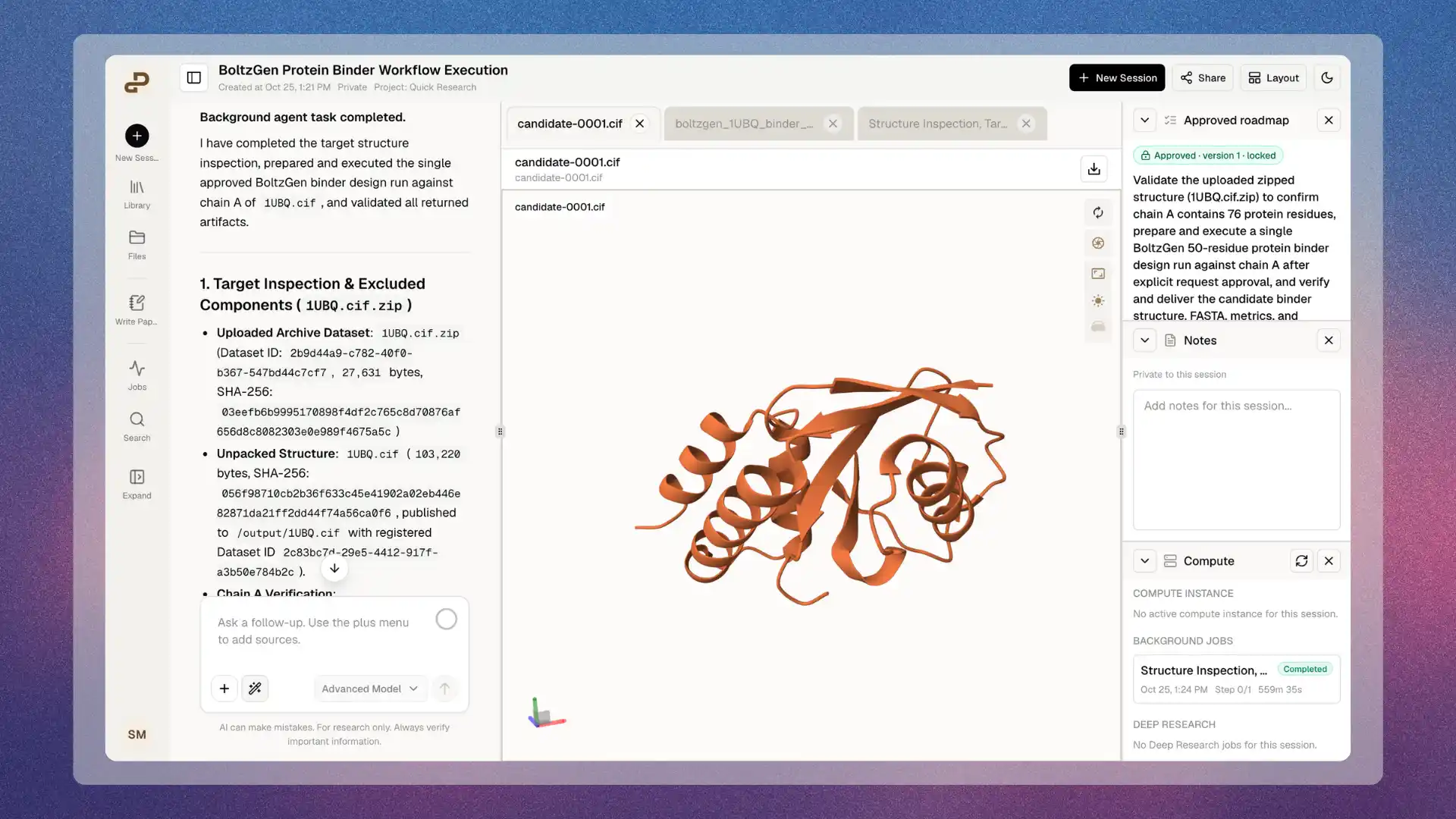
Open a molecular structure file and inspect it in 3D without leaving the platform. The Structure Viewer uses Mol* for rendering and supports the formats most researchers work with: PDB, mmCIF, SDF, MOL2, GROMACS GRO, PDBQT, XYZ, and their compressed variants.
When pLDDT confidence scores are present, the viewer applies a confidence-based color scale so you can read the reliability of different regions at a glance. When Purna generates a predicted structure as part of a workflow, that output file opens in the same tab you’re already working in.
Spatial Omics Viewer
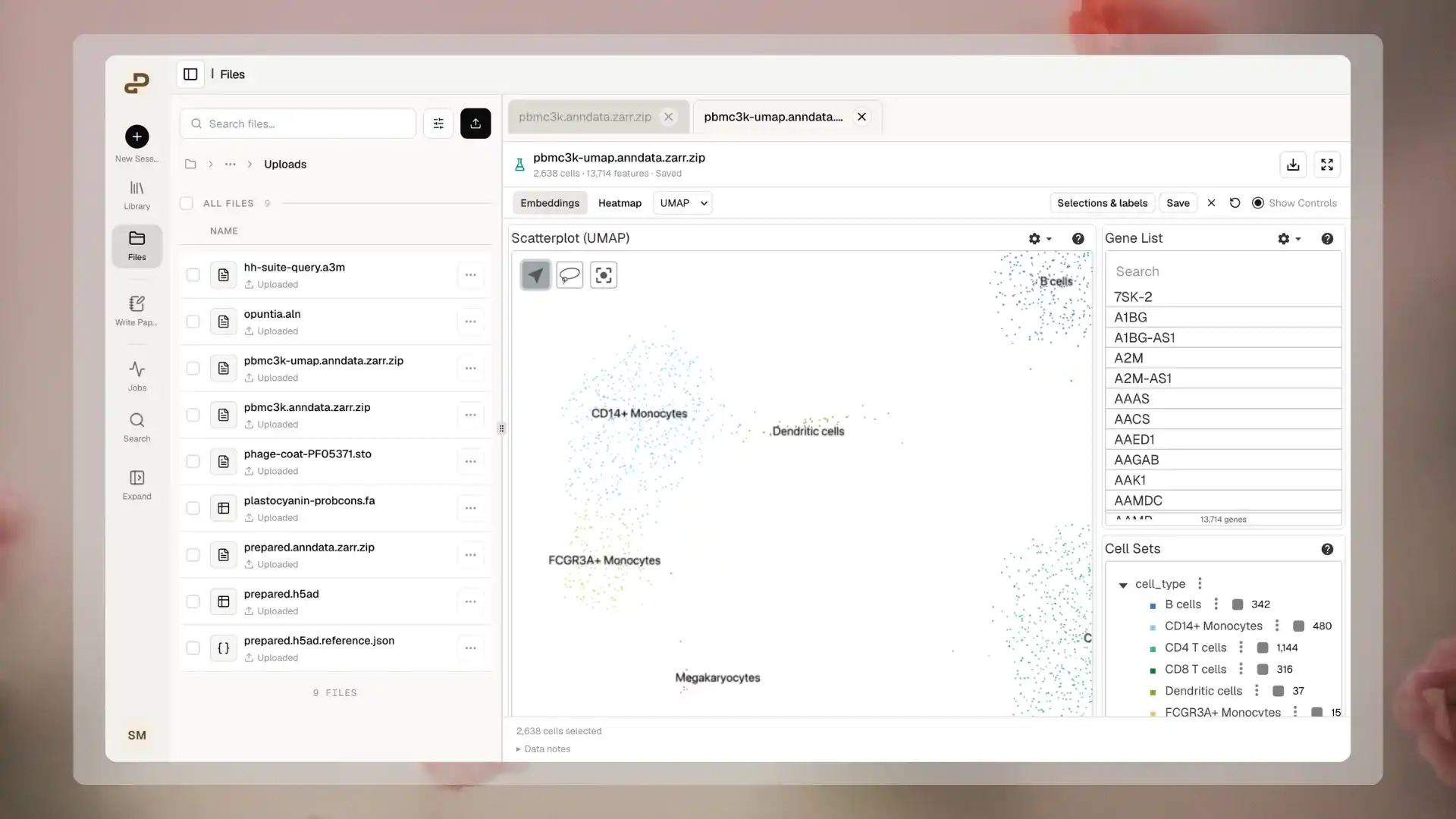
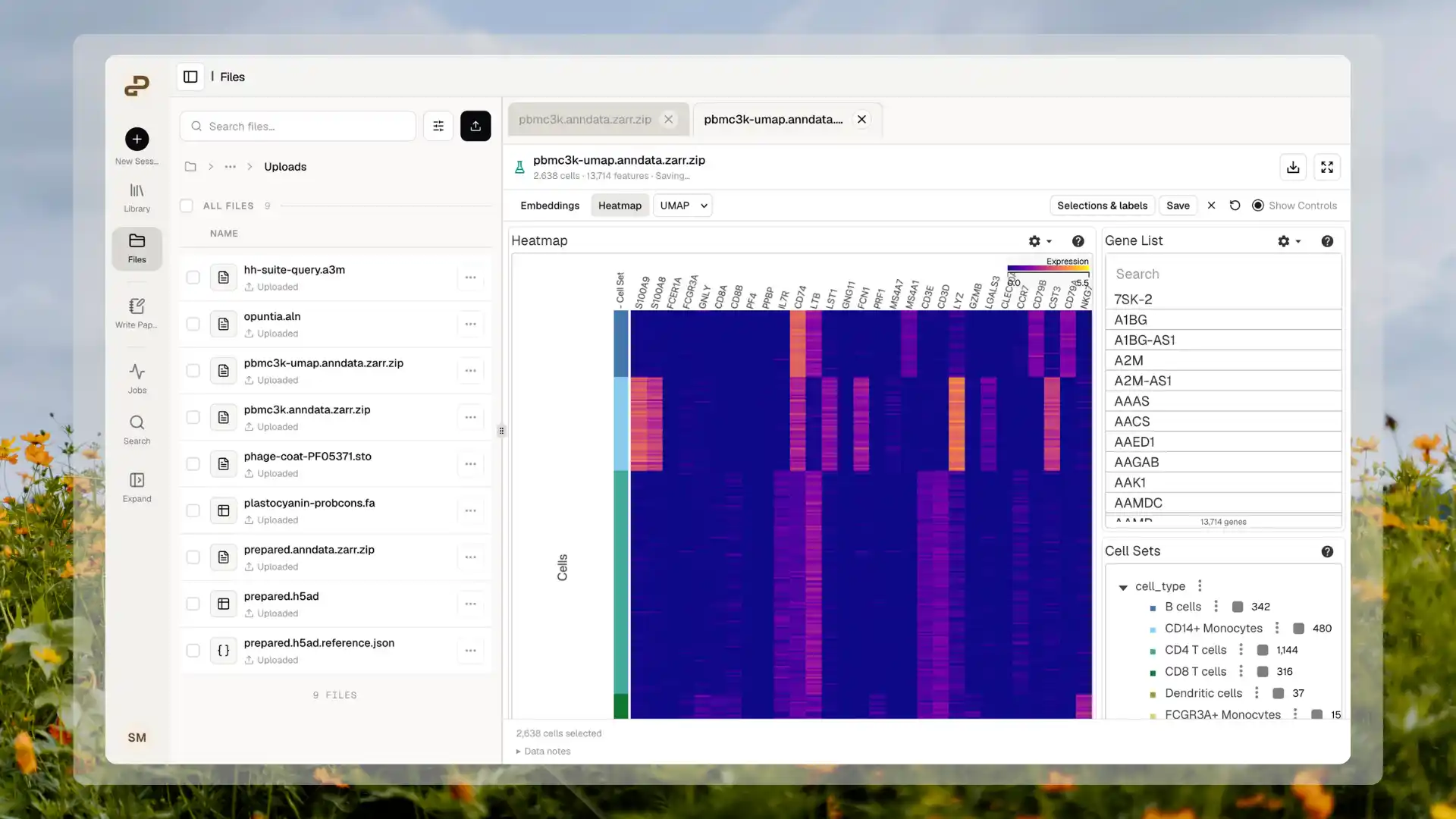
Load a prepared single-cell dataset and explore it interactively alongside your conversation. The Spatial Omics Viewer supports H5AD, AnnData-Zarr, OME-TIFF, OME-Zarr, and Vitessce configuration files. Depending on what your data contains, you can explore embeddings (UMAP, t-SNE, PCA), color cells by gene expression, compare cell groups, inspect heatmaps across prepared gene subsets, and navigate spatial imagery where it’s available.
You can select cells with a lasso, save those selections with names and notes, and attach them to a conversation when you want to run analysis. The viewer displays what your data already contains. It doesn’t calculate embeddings, normalize expression, or identify cell types on its own.
Slides Viewer
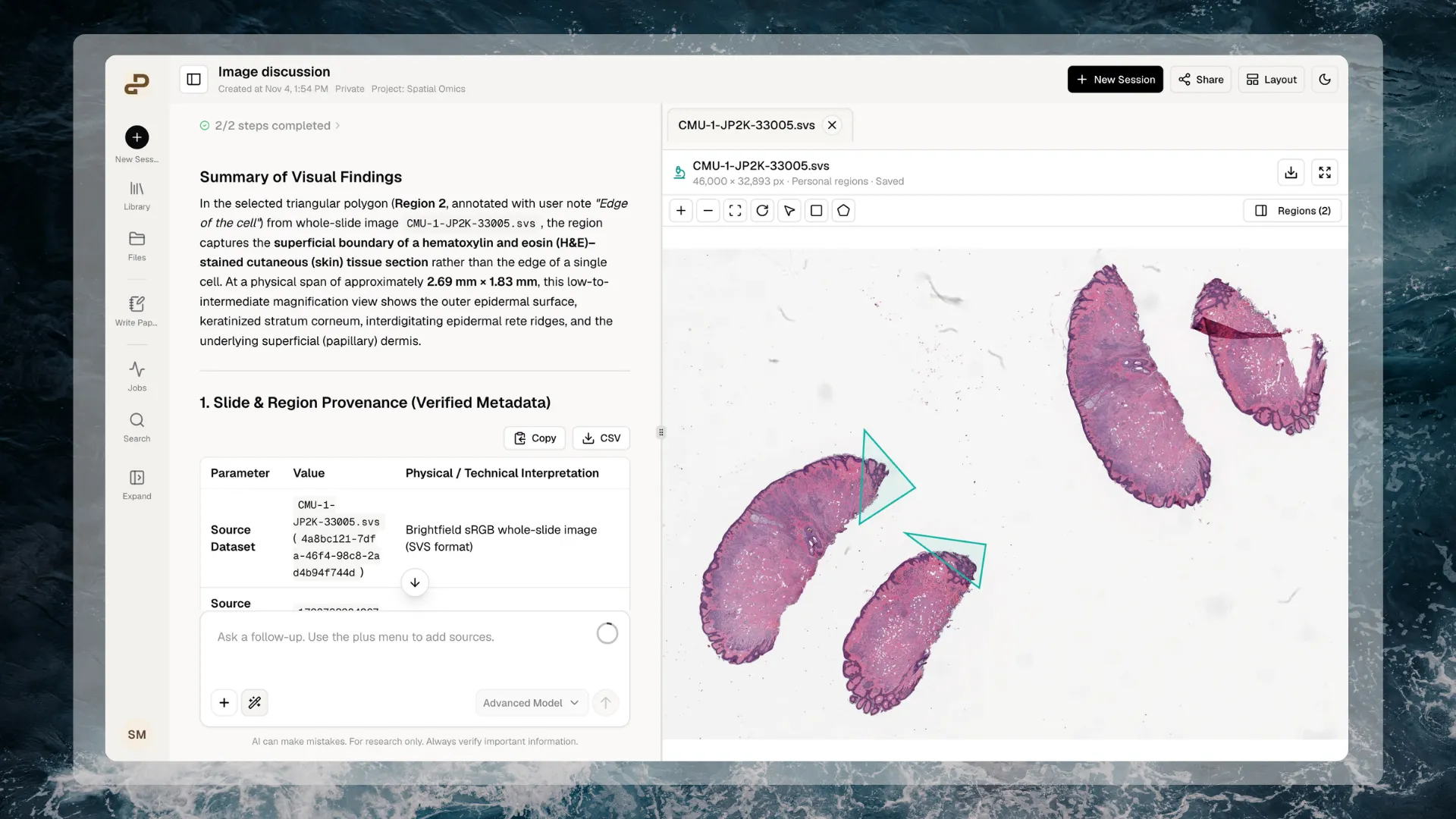
The Slides Viewer opens whole-slide and microscopy images up to 500 MiB, with progressive tile loading so navigation at any zoom level stays usable. Supported formats are SVS, NDPI, OME-TIFF, and OME-Zarr.
You can draw rectangles or polygons around regions of interest, name them, and add notes. Those personal annotations persist when you reopen the slide and don’t touch the original file. When you’re ready to work with an agent, you can share a selected region into a conversation directly from the viewer. For multichannel OME images, you can adjust individual channel colors, intensity ranges, and Z planes.
Sequence Alignment Component
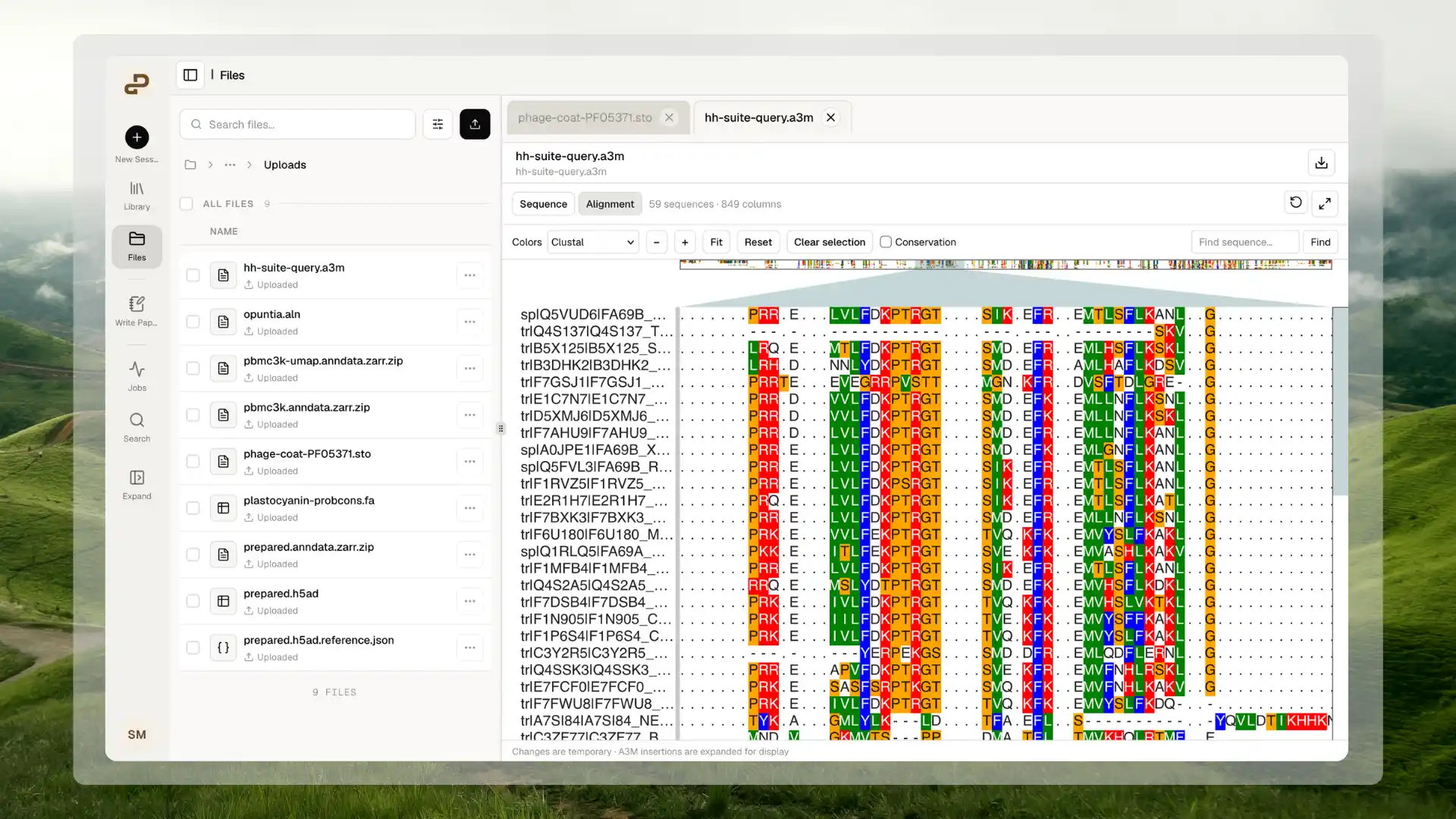
The Sequence Alignment Component opens nucleotide and protein sequences in your workspace. It supports FASTA, aligned FASTA, Clustal, Stockholm, and A3M files, handling up to 10,000 sequences and 100,000 alignment columns.
For multiple sequence alignments, you get a column-by-row view with residue coloring and optional conservation display. You can highlight rectangular selections across specific sequences and positions and use those as context when asking an agent to run gap analysis, calculate conservation, or check coordinate conventions before computing anything.
All four components are available now. Open a supported file from Files or attach it to a conversation to try them.
Explore Purna's Molecular Intelligence Platform
AI-powered workspace for biology teams to accelerate drug discovery from target identification to lead optimization.
Try Purna AI →