Introducing Library: Your Research World on One Page
Build your research Library
Bring your articles, connections, and research tools into one workspace.
Open Library →Research rarely lives in one place. Your articles are in a downloads folder, your reading notes are in a document, and the database or tool you need is somewhere among your open tabs. Purna Library brings those resources together, so you can spend more time working with them and less time finding them.
Introducing Library: Your Research World on One Page.
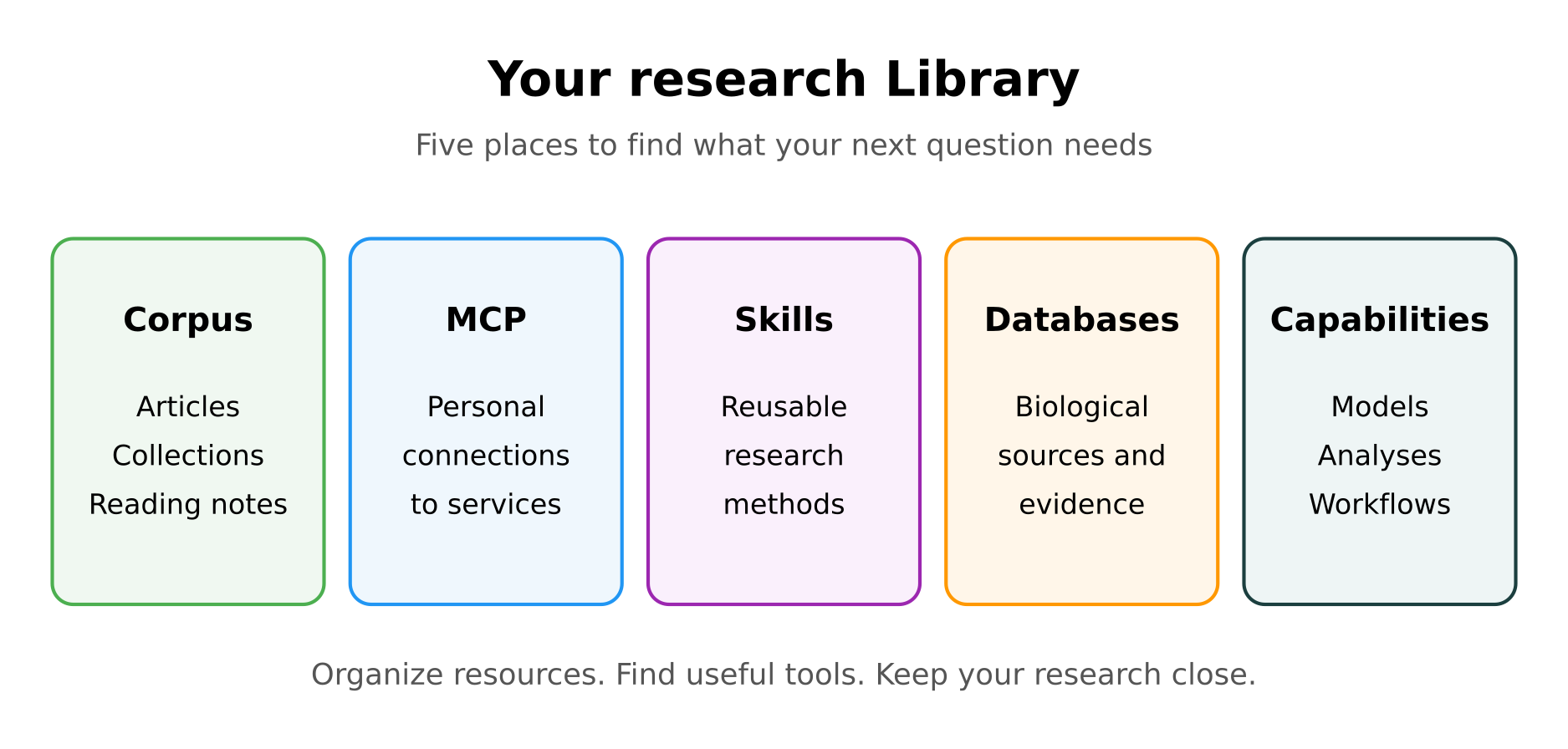
Library is the central place to organize your articles, manage external connections, explore reusable research skills, and find the databases and capabilities available in Purna. Whether you are investigating a target, reviewing a field, or preparing a manuscript, it gives your research a home you can return to.
Corpus: give your articles a home in Library
A useful article deserves more than a bookmark you will never find again.
Corpus is your article library inside Purna. Add an article by DOI or URL, or upload a PDF. Organize articles into collections that reflect the way you work: a research question, a therapeutic area, a review, or a manuscript in progress.
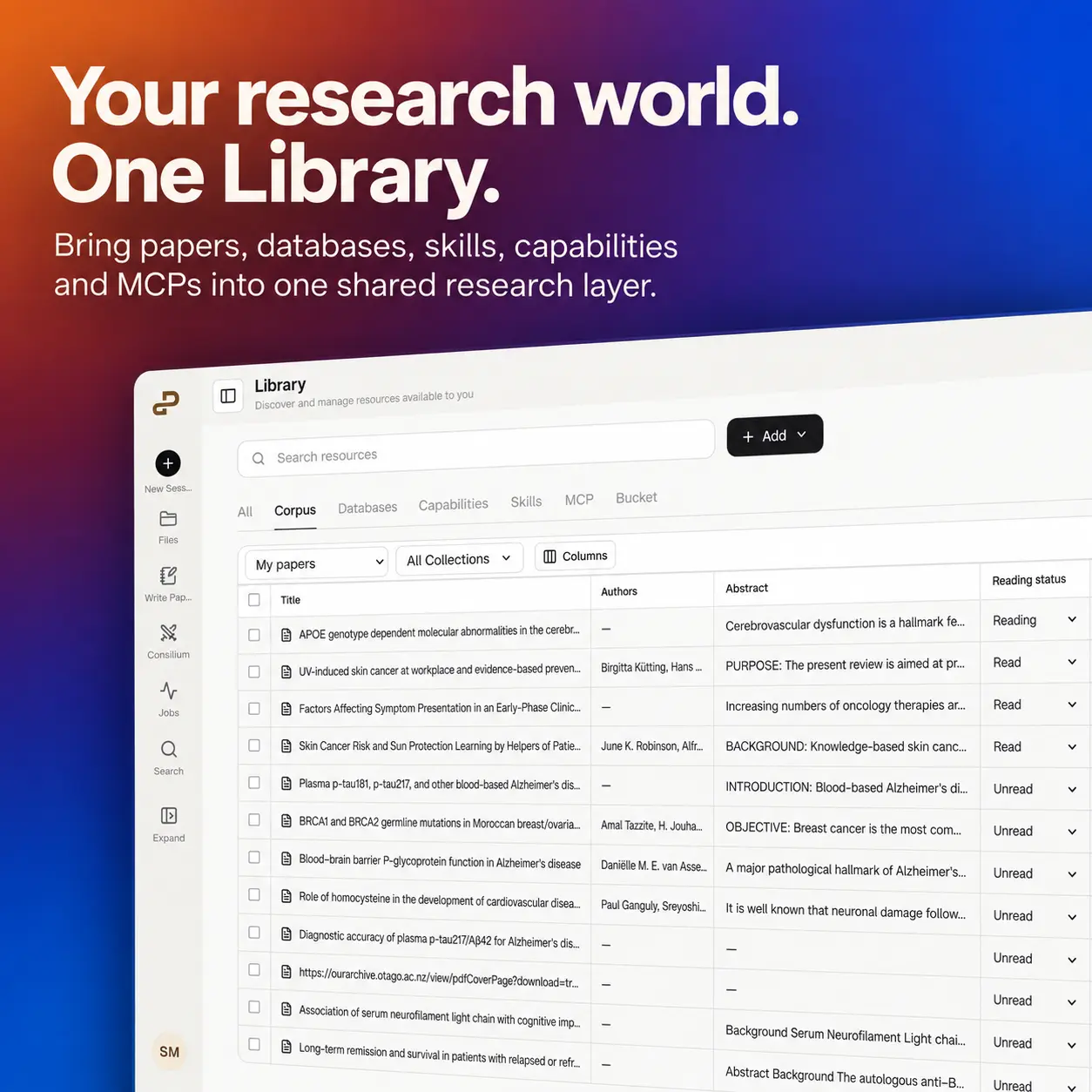
Reading is part of the research process, and Corpus helps you keep track of it. Mark an article as Unread, Reading, or Read. Add personal notes directly in the table, whether that is a useful result, a limitation to revisit, or an idea for your next experiment. Choose the columns you want to see and adjust their widths to make the library comfortable to work in.
An article can belong to more than one collection. A study on GLP-1 biology might be useful in both a metabolic disease review and a collection on cardiovascular outcomes. You can keep it in both without treating them as separate pieces of research.
Corpus also brings article organization closer to scientific writing. Collections linked to Paper Writing carry a small Paper badge, making it easier to find the reading behind a particular document.
Corpus is built around a simple idea: the articles you collect should stay connected to the questions you ask and the papers you write. It is the foundation for bringing your reading into AI Chat, Deep Research, and scientific writing, with your notes and collections keeping the context close.
MCP Integrations: connect the services you already use
Your research tools should be able to work together.
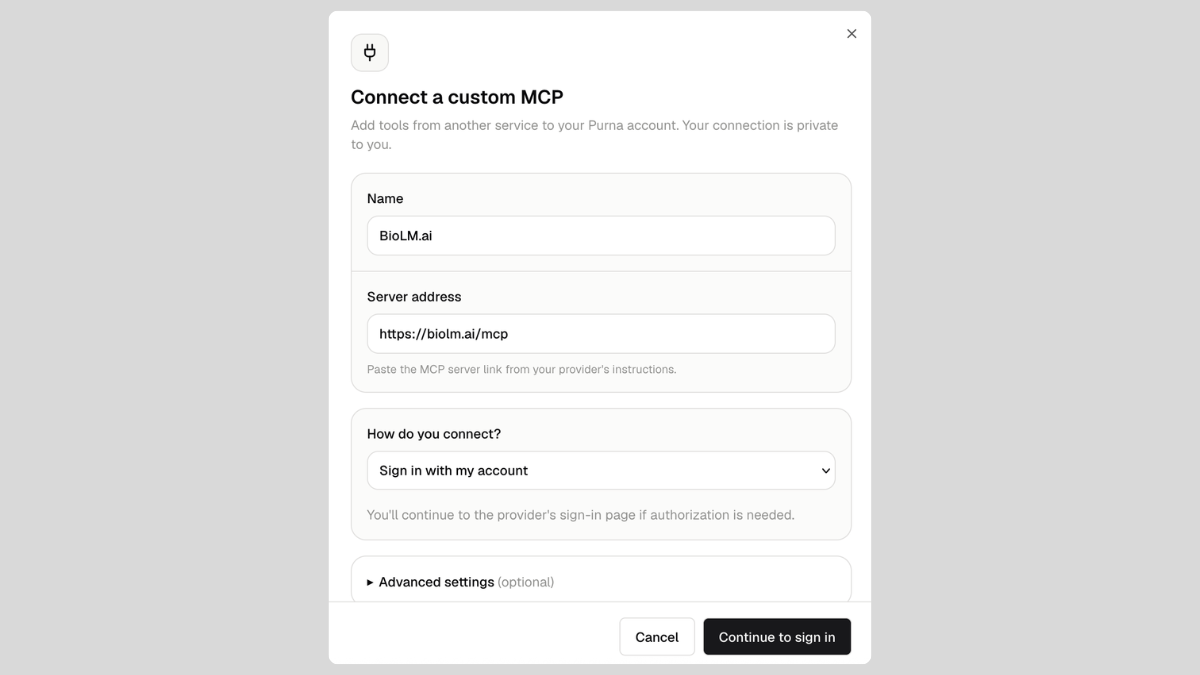
MCP Integrations let you connect compatible external services to Purna. MCP, short for Model Context Protocol, gives AI applications a common way to work with tools and information from other services.
In practice, that means a connected service can become part of your workflow in chat or a background research job. Instead of moving information between applications by hand, you can let Purna work with the commands that your connection makes available.
Connect the services that matter to you and keep them within reach. Library gives you one place to manage your personal connections and discover what each service can help you do.
Skills: make useful research methods reusable
Good research involves more than having the right tool. It also involves knowing how to use it.
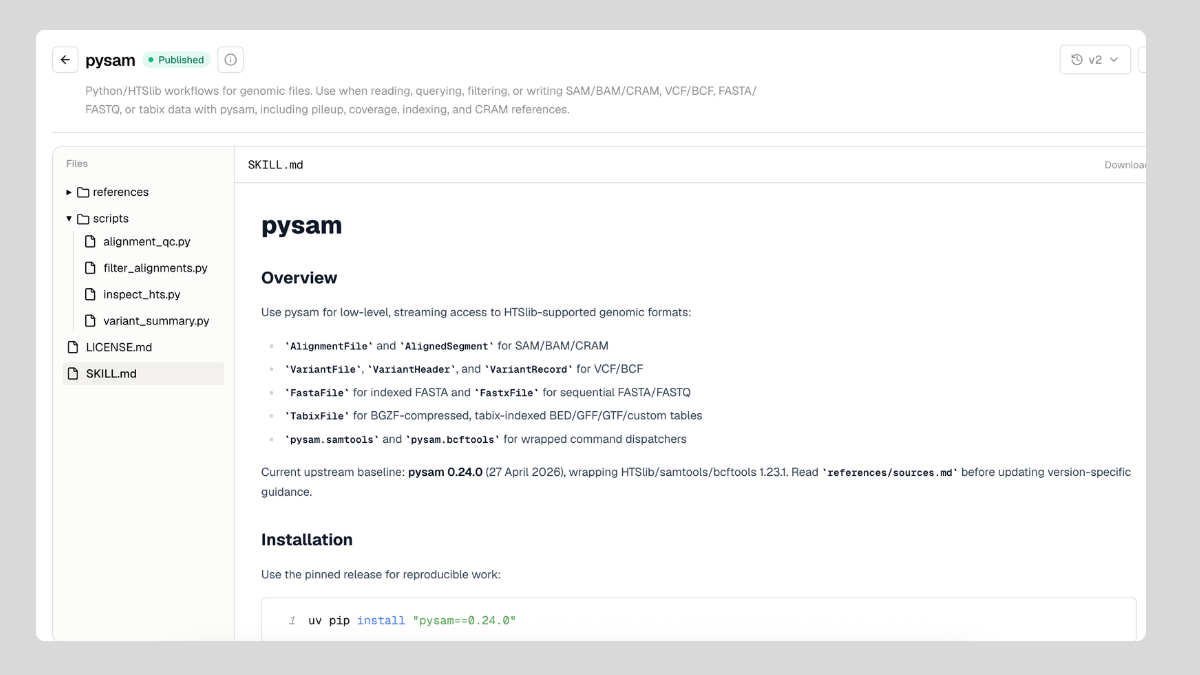
Skills capture instructions and supporting resources for a particular kind of work. Explore the Public Skills gallery, open a skill to understand its approach, and see what it contains before bringing it into a background-agent workflow.
You can also add a new skill or adapt an existing one for your team’s methods. Turn a useful, repeatable approach into something your team can build on, and keep your research know-how close to the work.
Databases: find the evidence behind your question
A literature search is often only the beginning. You may also need protein annotations, gene information, structures, or evidence about a variant.
The Databases section brings Purna’s connected research sources into view. Find the sources relevant to your work and understand what is available without keeping a separate directory of bookmarks.
For a closer look at how this fits a research workflow, explore querying biological databases in natural language.
Capabilities: discover what you can do next
Once you have the evidence, the next question is often: what can I do with it?
Capabilities help you discover the analyses, models, and workflows available in Purna, from working with biological sequences to exploring protein structures. Library makes those options easier to find when a research question calls for a particular kind of analysis.
Alongside Databases and Skills, Capabilities help you move from finding information to doing something useful with it, all within your research workspace.
Start with the research you are doing today
You do not need to organize everything at once. Start with one collection, add the articles you are reading this week, and leave a note on the result you want to revisit. Then explore a skill, a database, or a connection that could help with your next question.
Library complements Projects, which organize your ongoing work, and Scribe Lab, where evidence becomes a scientific draft. Together, they bring more of your research into a shared context.
Open Library and start building your research world. Learn more about the workspace at Purna AI.
Your articles, your tools, and the methods you return to, together in Purna Library.
Build your research Library
Bring your articles, connections, and research tools into one workspace.
Open Library →Explore Purna's Molecular Intelligence Platform
AI-powered workspace for biology teams to accelerate drug discovery from target identification to lead optimization.
Try Purna AI →